
The Siemens Desigo CC architecture is a next-generation building management system (BMS) platform, designed with an open modular structure that enables synchronous integration of security systems (AI cameras, access control) with technical infrastructure (HVAC, lighting). In Vietnam, Desigo CC is being deployed at grade A office buildings, shopping centers, and hospitals to optimize operations and save energy.
What is the Siemens Desigo CC architecture?

The Siemens Desigo CC architecture is a software and hardware structure in a layered (3-tier) format, including Management Station (central server), Automation Stations (automation controllers), and Field Devices (field equipment). The system uses open protocols BACnet/IP, KNX, and OPC UA to connect devices from multiple manufacturers.
Desigo CC operates as an operating system for the building. The Management Station is the single user interface where operators can monitor and control all subsystems. Automation Stations handle local control logic (e.g., HVAC on schedule, lights on when people are present). Field Devices include temperature sensors, card readers, IP cameras, HVAC valves... All communicate via BACnet/IP — the standard protocol for BMS.
3 core architectural layers of Desigo CC
Related Products


The Desigo CC architecture consists of three layers: the Management Level with servers and clients, the Automation Level with PXC/PXM controllers, and the Field Level with sensors, actuators, and security devices.
Layer 1: Management Level — Operations Center
- Desigo CC Management Station: Main software running on Windows Server, supporting multiple clients (web, mobile, desktop).
- Database Server: Stores historical data (temperature trends, security events, alarms) in SQL Server or Oracle.
- Web Server: Allows remote access via browser, supports HTML5.
- Redundancy: Supports hot-standby configuration to ensure 99.99% uptime.
Layer 2: Automation Level — Control Brain
- PXC Controller Series: PXC5, PXC7, PXC16 series — DDC (Direct Digital Control) controllers with built-in BACnet firmware.
- PXM Panel: On-site touchscreen for manual operation by technicians.
- Edge Computing: Processes local logic (e.g., if a person is detected via AI camera -> increase fresh air flow) without relying on the central network.
Layer 3: Field Level — Field Devices
- Environmental Sensors: Temperature, humidity, CO2, pressure — connected via BACnet MS/TP or wireless.
- Security Devices: IP cameras (ONVIF), card/facial readers (Wiegand/OSDP), EAS gates — integrated via BACnet/IP or API.
- Actuators: Control valves, VAV motors, lighting relays — communicating via 0-10V or BACnet.
Benefits of integrating security into the Desigo CC architecture

Integrating AI cameras and access control into Desigo CC helps reduce operational costs by 30-40% through automated incident response, optimizes energy based on actual occupancy, and synchronizes security data with BMS.
Automated incident response
When an AI camera detects unauthorized intrusion in a restricted area, Desigo CC can automatically: activate warning lights, send notifications to the operator, lock doors in adjacent areas, and record a 30-second video clip before and after the event. The entire process takes 3-5 seconds, compared to 15-30 minutes if the operator had to handle it manually.
Energy optimization based on actual occupancy
Data from people-counting cameras and card readers is used by Desigo CC to adjust HVAC and lighting per zone. For example: floor 3 has only 12 people (compared to capacity of 200) -> the system reduces air conditioning power by 40% and turns off 60% of lights. Result: 25-35% electricity savings compared to fixed schedules.
Synchronizing security data with BMS
Desigo CC records security events (after-hours door openings, unknown cards, camera alerts) into the same database as environmental data. The operator can view a synchronized timeline: "14:32 — meeting room temperature spiked 5°C due to open window (security event detected) — system automatically closed blinds and activated compensating air conditioning."
Summary table: Key modules in the Desigo CC architecture

| Module | Function | Connection Protocol |
|---|---|---|
| Management Station | User interface, dashboard, reports, alarms | BACnet/IP, OPC UA, REST API |
| Automation Station (PXC) | DDC control, local logic, trend storage | BACnet/IP, BACnet MS/TP, KNX |
| Field Devices | Sensors, actuators, cameras, readers | BACnet MS/TP, Modbus, ONVIF, Wiegand |
| Video Integration | IP camera integration via ONVIF Profile G/T | RTSP, ONVIF, HTTP API |
| Access Control | Card, face management, schedules, restricted zones | OSDP, Wiegand, BACnet/IP |
| Energy Management | Power, water, gas monitoring — ROI reports | Modbus, BACnet/IP, M-Bus |
Comparison of Desigo CC with traditional VMS platforms

Unlike VMS (such as Milestone XProtect, Genetec) which only focus on video, Desigo CC integrates both BMS and security on the same platform, enabling cross-system automation that VMS cannot achieve.
| Criteria | Desigo CC (BMS + Security) | Pure VMS (Milestone/Genetec) |
|---|---|---|
| Integration scope | HVAC, lighting, power, security, fire alarm | Primarily cameras, basic ACS extension |
| Cross-system automation | Camera detects person -> adjust HVAC | No BMS logic support |
| Open protocol | BACnet/IP, KNX, OPC UA, Modbus | ONVIF, proprietary API |
| Deployment cost | Higher (400-800 million VND for a 10-floor building) | Lower (150-300 million VND) |
| Suitable for | Buildings >5000m², requiring deep integration | SME offices, retail chains |
Common mistakes when deploying Desigo CC architecture

Based on deployment experience in Vietnam, there are 4 common mistakes when designing Desigo CC architecture: choosing the wrong connection protocol, neglecting redundancy, not synchronizing security data, and lacking an expansion plan.
1. Choosing the wrong connection protocol for security devices
Many integrators connect cameras via ONVIF Profile S (video only) instead of Profile G/T (allowing PTZ control, metadata retrieval). Result: Desigo CC cannot obtain analytics data from AI cameras (people counting, object detection). Solution: require cameras to support ONVIF Profile G or use a conversion gateway.
2. Neglecting redundancy
Deploying only 1 Management Station without hot-standby. When the server fails, the entire building loses centralized monitoring capability. The additional 15-25% cost for redundancy is mandatory for buildings >10,000m².
3. Not synchronizing security data with BMS
Installing Desigo CC as a standalone BMS system, with cameras and ACS running independently. The advantage of cross-system automation is lost. Integration should be done from the architectural design phase, not after operation has started.
4. Lacking an expansion plan
Purchasing a Desigo CC license with too few points. After 2-3 years, when expanding the building or adding devices, upgrading the license is costly. It is advisable to purchase 30-50% more capacity than current needs.
Case study: Grade A office building in Ho Chi Minh City
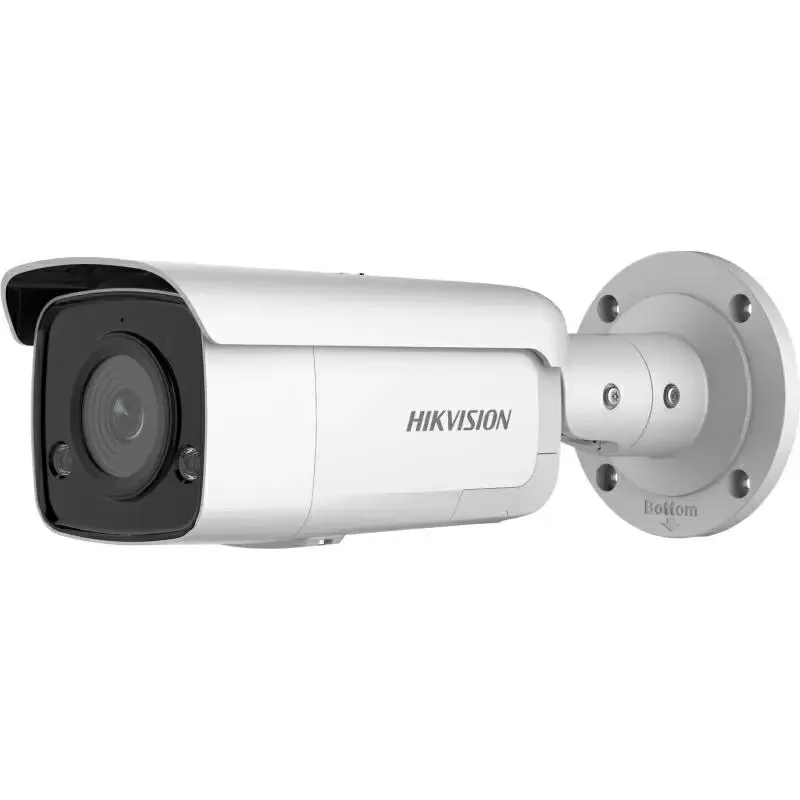
A 25-floor office building in the Phu My Hung urban area deployed the Desigo CC architecture integrating AI cameras (Hikvision AcuSense) and facial recognition ACS (Suprema FaceLite). Results after 12 months: 35% reduction in energy costs, 70% reduction in security incidents, 20% increase in operational productivity.
The building has a floor area of 45,000m², 120 IP cameras, 40 facial readers at entrances. Previously, operations were separate: BMS (Siemens Desigo CC) managed HVAC/lighting, the security system (Milestone XProtect + ZKTeco) ran independently. After integration onto Desigo CC via BACnet/IP and ONVIF Profile G, the operator can monitor everything on a single screen. The system automatically detects unoccupied areas via people-counting cameras and reduces air conditioning power by 40% in that zone. Result: the electricity bill dropped from 1.2 billion to 780 million VND/month. Security incident response time decreased from 25 minutes to 4 minutes thanks to automatic alerts.
Frequently asked questions about Siemens Desigo CC architecture
Does the Siemens Desigo CC architecture support AI camera integration?
Yes. Desigo CC supports IP camera integration via ONVIF Profile G/T protocol, allowing reception of metadata from AI cameras (object detection, people counting, license plate recognition). This data can be used to trigger BMS automation logic, such as adjusting HVAC based on occupancy or activating security alerts.
What is the deployment cost of Desigo CC architecture for a 10-floor building?
Cost ranges from 400-800 million VND, depending on the number of points and integrated devices. Includes: Management Station license (150-300 million VND), PXC Automation Stations (50-100 million VND/unit), sensors and field devices (100-200 million VND), security integration (100-200 million VND). Excludes cameras and ACS readers.
Can Desigo CC connect with access control systems from which brands?
Desigo CC supports connection with most ACS systems via BACnet/IP, OSDP, or Wiegand protocols. Popular brands that can be integrated: Suprema, ZKTeco, HID Global, Honeywell, Bosch. A conversion gateway is needed if the ACS device does not support native BACnet.
Does the Desigo CC architecture require special network configuration?
Yes. Desigo CC requires a dedicated LAN for BACnet/IP (preferred VLAN), minimum bandwidth of 1 Gbps between Management Station and Automation Stations. IP cameras should be on a separate network segment (different subnet) to avoid broadcast conflicts. Supports IPv4 and IPv6.
Can Desigo CC completely replace VMS (Milestone, Genetec)?
Not entirely. Desigo CC integrates video at the monitoring and metadata level, but lacks advanced VMS features such as forensic search, advanced video analytics, and long-term storage. The optimal solution is to use Desigo CC as the integration platform, combined with a VMS (e.g., Milestone XProtect) via API to leverage both strengths.
How long does it take to deploy Desigo CC architecture for a new building?
Typically 8-12 weeks for a 10-20 floor building, including: system architecture design (2 weeks), installation of Automation Stations and field devices (4-6 weeks), software configuration and integration (2-3 weeks), acceptance testing and training (1 week). For existing buildings, the timeline may be longer due to integration with legacy systems.