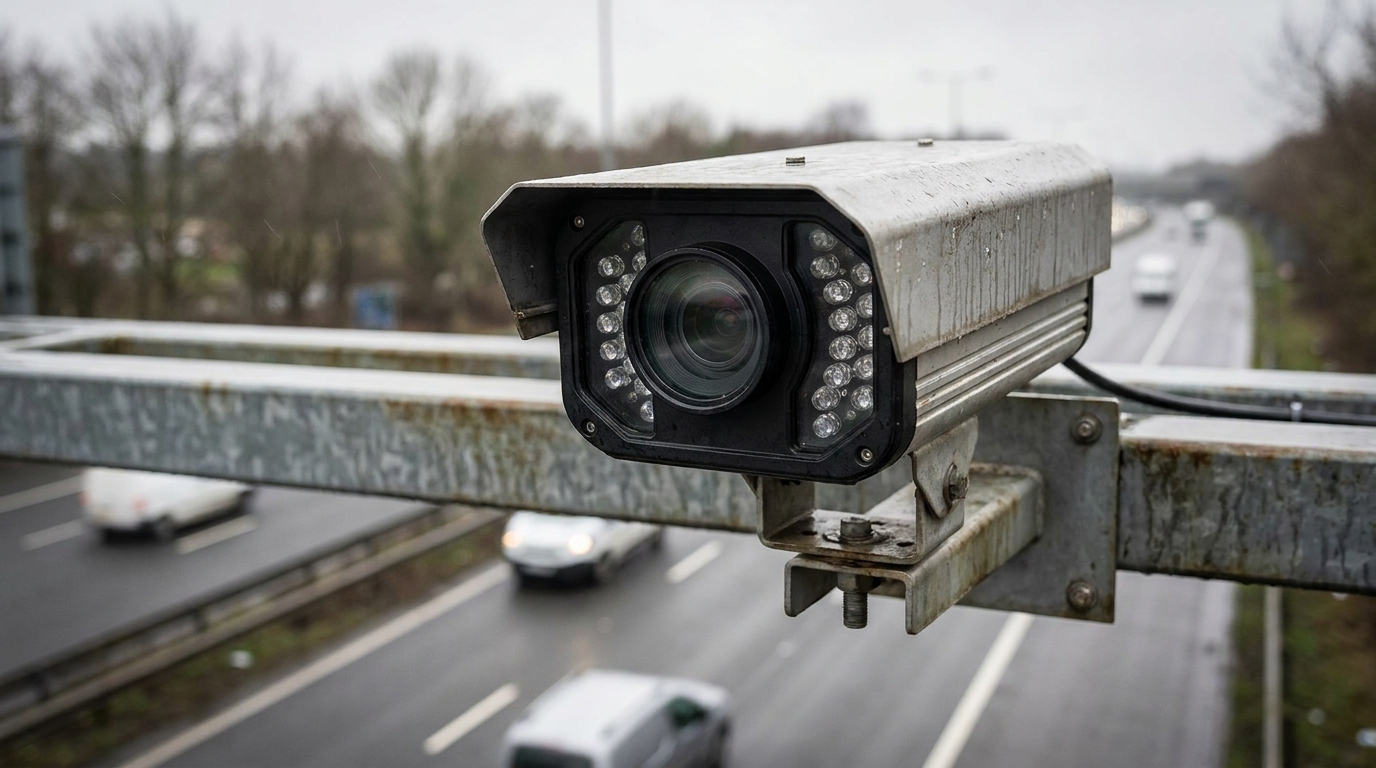
The FreewayCam 3rd Generation (3rd Generation FreewayCam) is an ANPR camera from Adaptive Recognition in the 3rd Generation FreewayCam, SmartCam, SpeedCam line. Model FREEWAYCAM-04, User Manual 102 pages, document version 2026.08.28. The camera provides access to all features through the web interface; all configuration controls are performed through a web browser, with no external components required.
Key Features
- Access all features through the web interface, configure via web browser, no external components required
- System settings: Network (Network setup, IPv4/IPv6, HTTPS, Advanced camera interface protocols, Modem, Dynamic DNS, MIB files for NTCIP/SNMP), Date & Time, Users, IP filter, Plain config
- Image setup: Imaging pipeline, Post-processing (Image, Color, Advanced, Private zones), Brightness control, Exposure control, Optics, Secondary sensor, Flash control, Miscellaneous (Snapshot, 1:1 view, Recording a stream, Visual aids)
- Events: Event manager, Vehicle detection trigger, Motion detector, Software trigger, GPIO trigger, Scheduler trigger, UART trigger, Radar trigger, Virtual loop trigger module, VVQ trigger
- ANPR: Browse, ANPR settings, Title editor, Engine manager, Black/white lists, Rules, Time settings, License plates, Event notifications, Result upload, Diagnostics
- Maintenance: System info, Sensors, Camera log, Backup/update, Restart & recovery mode
- Enable NTCIP: Enables the National Transportation Communications for Intelligent Transportation System (ITS) Protocol (NTCIP) which creates a seamless integration into standardized ITS systems
- Supports NTP server (hostname/IP, default port 123), IPv4 and IPv6
- Radar trigger: beam 11° × 11° (pyramid like), speed correction with ADJO (arriving) and ADJL (leaving) parameters
- Result upload: configure result file format, upload data and images
Recommended Applications
- Traffic / ITS
- Highways
- Toll stations
- License plate access control
- Speed monitoring
Contact 0796 700 777 for a quote.
| Model | FREEWAYCAM-04 |
|---|---|
| Dòng sản phẩm | 3rd Generation FreewayCam, SmartCam, SpeedCam |
| Số trang tài liệu | 102 |
| Document version | 2026.08.28. |
| Chuẩn FCC | 47 CFR Part 15 Subpart B |
| Web interface | Toàn bộ điều khiển cấu hình qua trình duyệt web, không cần cài thành phần ngoài |
| Enable NTCIP | Enables the National Transportation Communications for Intelligent Transportation System (ITS) Protocol (NTCIP) which creates a seamless integration into standardized ITS systems. |
| NTP server hostname/IP | The address of the NTP server. (If the NTP server does not run on the default port (123), specify the port in the following format: [hostname/ip]:[port]. |
| Max. I/O time | Maximal duration of a query-answer cycle between the camera and the NTP server, before the answer is dropped. This influences the accuracy. Best practice is to set it to 10000 μs on a local network. |
| IP address | The system accepts IPv4 and IPv6 addresses as well. |
| Type | The range of IP filtering |
| Netmask | The blocked/accepted netmask. The netmask has to be given in a standard netmask form (e.g. 255.255.255.0) so the value of the bits has to be set as a decimal value. |
| Full name | The full name of the user. |
| Password | Corresponding password. |
| Ký tự cho phép | '.','/','_','+','-',',' (with regular expression: /^[0-9A-Za-z\.\/_\+\- |
| Default Policy | The policy can be of two types |
| Add/Remove Stream | The output of both the primary and secondary pipelines can be directed into a stream, which is a video feed streamed on a HTTP port. |
| Selected source | The pipeline which will feed this stream |
| Image channel | Encoder used on the stream (JPEG or H264). |
| Final framerate | Will display the resulting frame rate |
| Encoder settings | Depending on whether an H264 or a JPEG encoder is used, one of the following menus will appear: |
| I and P frames group size | The group size is the number of I frames plus the number of P frames. For example, 1 keyframe + 15 predicted frames, the group size is 16. |
| H264 compression | Default H264 compression. The larger this number the lower the quality, but with a higher compression rate and vice versa. |
| H264 compression on event | During an event this quality will be used instead of H264 compression. |
| Window compression on event | H264 compression in the event window (image area defined by the event, e.g. where motion was detected). |
| Average bitrate | Restrict average bitrate to this value. |
| H264 compression delta | In order to achieve Average bitrate, the quality (H264 compression) may possibly be reduced. This control limits the amount of this reduction. |
| Using the event quality | Definition of what constitutes as an event for H264 quality on event parameter. |
| H264 compression delta on event | In order to achieve Average bitrate, the event quality (H264 compression on event) may be reduced. This control limits the amount of this reduction. |
| JPEG quality on event | JPEG quality across the duration of an event. |
| Brightness | Increase/decrease the brightness of the image |
| Saturation | Increase/decrease the chrominance contrast of the image |
| Color | Color mode |
| Color Correction | Automatic compensation for the color of the illumination. |
| White Level | Defines the pixel value above which all pixels will be mapped to white |
| Black level | Defines the pixel value below which all pixels will be mapped to black |
| 1:1 live video stream | To open a 1:1 live video stream, click on the icon in the top menu. |
| Ghi chú phiên bản trước 3.6r1.3787 | The 'Normal/Quick' and 'Post' stages have been renamed to 'Preselection' and 'ANPR' respectively. The 'Quick' engine has been phased out, the corresponding functionality is implemented internally in the Preselection stage. |
| Kết hợp nhiều trigger | It is possible to combine multiple triggers. Ví dụ: license plate recognition is required only during a certain hour of the day: combine Vehicle Detection with an instance of Scheduler set to be asserted during the required hour. This feature is configured in the Event Manager page. |
| Start/end offset | the interval during which the trigger is asserted can be extended in both directions with start and end offsets. |
| Typical field of application (Radar trigger) | mobile (tripod) installation on road and highway. |
| Radar beam angle | 11° × 11° (pyramid like) beam |
| Calculation of the angle correction value | As the radar does not emit the beam pointwise but emits an 11° × 11° angle (pyramid like) beam, the speeds of the arriving and leaving vehicles have to be corrected separately with two different values. The ADJO (arriving) and ADJL (leaving) parameters serve for this purpose. |
| In case of oncoming vehicles (ADJO) | Vreal = Vmeasured / (cos ( α - ( δ/2)) * cos ( β - ( δ/2))) |
| In case of leaving vehicles (ADJL) | Vreal = Vmeasured / (cos ( α + ( δ/2)) * cos ( β + ( δ/2))) |
| Góc hiệu chỉnh khi bao phủ 1 làn | α = 17° và β = 25° |
| Góc hiệu chỉnh khi bao phủ 2 làn | α = 14° và β = 15° |
| ANPR stage — None | The ANPR stage will be skipped |
| ANPR stage — Same as Preselection | the same frame will be used as in the previous stage (Full, Manual, Motdet or Trigger) |
| Return all events | create a record in the database based on all trigger signals, even if a license plate was not found |
| Return events with license plate | Create a record in the database only if a license plate was found |
| Return events with license plate and type | Create a record in the database only if both a license plate was found and its nationality was determined. |
| Upload Content | The data and images will be uploaded |
| Configure result file format | You can edit and check trigger information in a selected format. |
| Special characters | The character '$' must always be escaped with '\'. Within an expression the characters '$', '(', ')', ',' and ';' have to be escaped with a '\' character. |
| Displays a checklist of the settings | a properly configured entry is displayed in green. Entries that need further attention are displayed in red |
| Adding a new user | On clicking the plus ('+') button a form appears requesting the following fields: |
| Multi Mode | This checkbox enables Multi Mode |